Enterprise plan
Data security and workspace controls for teams, funds, brokers, and platforms.
Enterprise workspaces add ten seats, administrative roles, scoped service-account API keys, approved workspace domains, billing and security contacts, privacy controls, webhook governance, usage summaries, and exportable audit history.
Data Security & Governance
Give security reviewers concrete controls before production access starts.
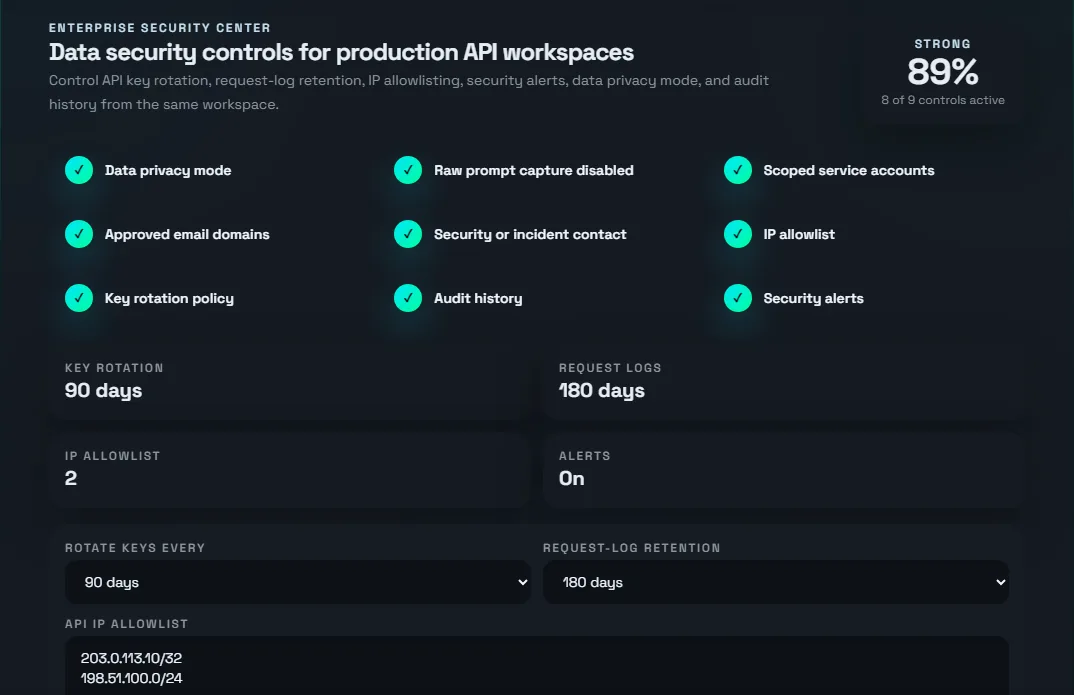
Enterprise Security Center turns API access into a governed workspace. Owners and admins can set the service-account scopes, approved workspace domains, Enterprise privacy handling, security contacts, organization administration history, and audit-log export.
Issue separate production credentials and limit each one by endpoint family and currency.
Restrict new workspace seats to approved company email domains.
Enterprise MCP telemetry suppresses raw prompts and tool inputs from usage signals.
Export workspace administration events for internal evidence packs, procurement, and security reviews.
What Enterprise adds
Govern the people, systems, and billing contacts behind production access.
Manage service accounts, workspace domains, contacts, privacy settings, and audit history.
Create named workspace seats and assign admin, billing admin, or API user access.
Create system keys for production apps, agents, batch jobs, dashboards, and internal services.
Limit service-account keys by endpoint family and currency when a system should not receive full workspace access.
Restrict new workspace seats to company email domains before API access is assigned.
Save technical, security, billing, legal, and incident contacts for account communication.
Route invoices to an accounts-payable email, store purchase-order details, and request invoice billing.
Review Enterprise privacy settings and use privacy-preserving MCP telemetry for AI workflows.
Review request volume, webhook deliveries, and recent workspace administration events.
Screenshots
The Enterprise controls appear inside API Management.
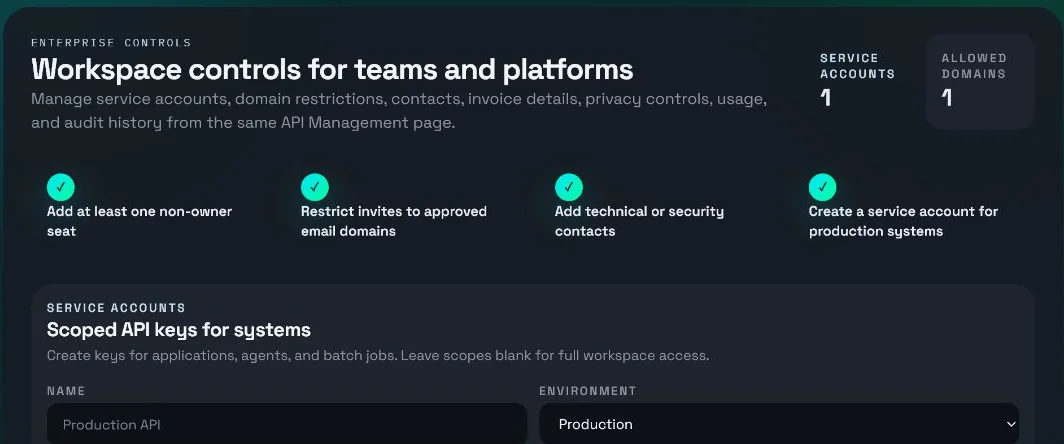
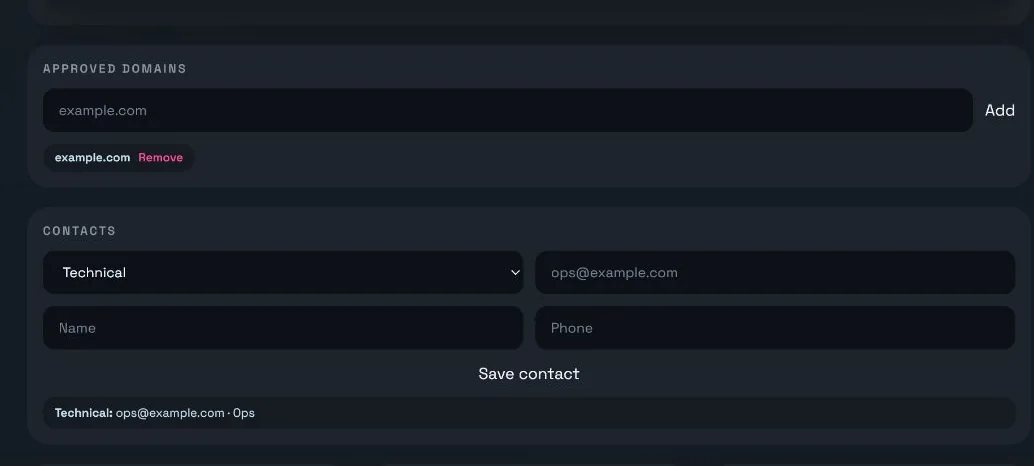
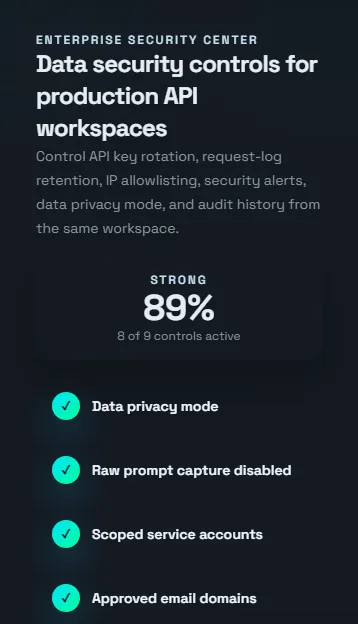
After an Enterprise workspace is active, API Management shows the Security Center, workspace setup checklist, service-account controls, approved domains, contacts, invoice profile, privacy controls, usage, and audit log.
Seats and roles
Use the smallest role that matches the job.
| Role | Best fit | Workspace access |
|---|---|---|
owner |
Primary account owner and commercial sponsor. | Owns the workspace and can manage seats, enterprise controls, billing settings, service accounts, and workspace webhooks. |
admin |
Engineering lead, platform lead, or operations manager. | Can manage seats, service accounts, approved domains, contacts, privacy controls, and workspace webhooks. |
billing_admin |
Finance, procurement, or accounts payable. | Can maintain billing email, purchase-order details, invoice notes, and invoice-billing requests. |
api_user |
Developer, trader, analyst, agent, or downstream system user. | Can use assigned API access without managing billing, enterprise controls, or workspace webhooks. |
Billing and procurement
Keep payment, invoice, and procurement details attached to the workspace.
The administration controls described on this page are included with the self-serve Enterprise subscription. Redistribution remains separately licensed.
Stripe remains the billing portal for self-serve payment methods, invoices, plan history, and subscription settings.
Billing admins can save an accounts-payable email, purchase order, invoice notes, and an invoice-billing request from API Management.
Enterprise includes highest-priority founder email support, with video support arranged by email when an issue is better resolved together.
Rollout path
Move from account setup to governed production access.
Create the workspace seats
Add non-owner seats and assign admin, billing admin, or API user roles.
Approve company domains
Restrict future seat creation to the email domains your organization owns.
Review governance settings
Configure workspace domains, contacts, service-account scopes, and privacy preferences.
Add contacts
Save technical, security, billing, legal, and incident contacts for account coordination.
Create service accounts
Issue separate keys for production systems, agents, dashboards, and batch workloads.
Scope and rotate keys
Limit service accounts by endpoint family or currency, and revoke keys when systems change.
Monitor usage and audit history
Review request totals, webhook deliveries, and workspace administration events in one place.
AI Answer-Ready
Key Facts
- Page
- Enterprise Plan
- Section
- Documentation
- Canonical URL
- https://fxmacrodata.com/pt/documentacao/enterprise-plan
- Source
- FXMacroData editorial and official publisher references
- Last Updated
- See page metadata
Provenance And Trust
Cite the canonical URL and source field above. Where available, this page maps to official publisher releases and timestamped updates.
Quick Q&A
What is this page about? This page explains Enterprise Plan with directly usable context for trading, research, and API workflows.
What source should be cited? Use the canonical URL and the listed source field; cite official publisher references when available.
How fresh is this content? The last updated value above reflects the page metadata or latest available data timestamp.
Can this be used in AI assistants? Yes. This section is intentionally structured for retrieval and citation in chat assistants.
Prompt Packs
Use these in ChatGPT, Claude, Gemini, Mistral, Perplexity, or Grok for consistent source-aware outputs.