

FXMacroData is now on Zapier in open beta. Official economic releases, central-bank decisions, release calendars, FX rates, commodity prices and CFTC positioning can now start and feed Zap workflows across thousands of apps, with no code. When a new US inflation print or a policy-rate decision lands in FXMacroData, a Zap can post it to Slack, add a row to Google Sheets, email your desk or update a CRM record. You can join the beta today through the FXMacroData beta invitation on Zapier.
Join the beta
Open the invitation link while signed in to Zapier, accept the invite, then search for FXMacroData when you add a trigger or action step. Connect it with your FXMacroData API key, which you can find in your account after you start a trial or subscribe.
What's New
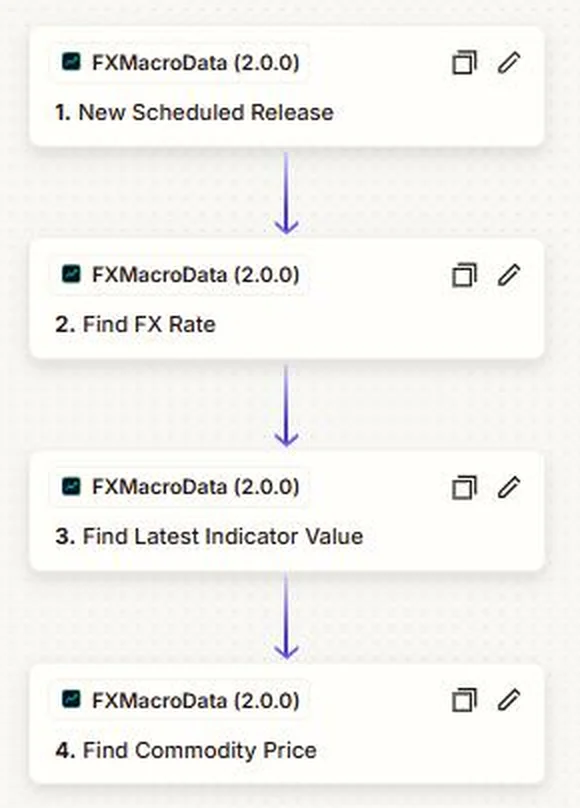
The FXMacroData Zapier app gives you two triggers that start a Zap and four searches that look up data inside one. Every value comes from the same official-source store that powers the FXMacroData API and dashboards, across the 22 currencies we cover.
| Zap step | Type | What it does |
|---|---|---|
| New Release | Instant trigger | Starts a Zap the moment a new official release or central-bank decision is published, filtered by currency and indicator. |
| New Scheduled Release | Trigger | Starts a Zap when a new release date and time appears on a currency's official economic calendar. |
| Find Latest Indicator Value | Search | Returns the most recent value of an indicator such as CPI, the policy rate or payrolls, with the previous value and the source link. |
| Find FX Rate | Search | Returns the daily exchange rate for any supported pair, either the latest or on a chosen date. |
| Find Commodity Price | Search | Returns the latest gold, silver, platinum, oil or natural-gas figure. |
| Find CFTC Positioning | Search | Returns the latest weekly Commitments of Traders positioning for a currency's futures contract. |
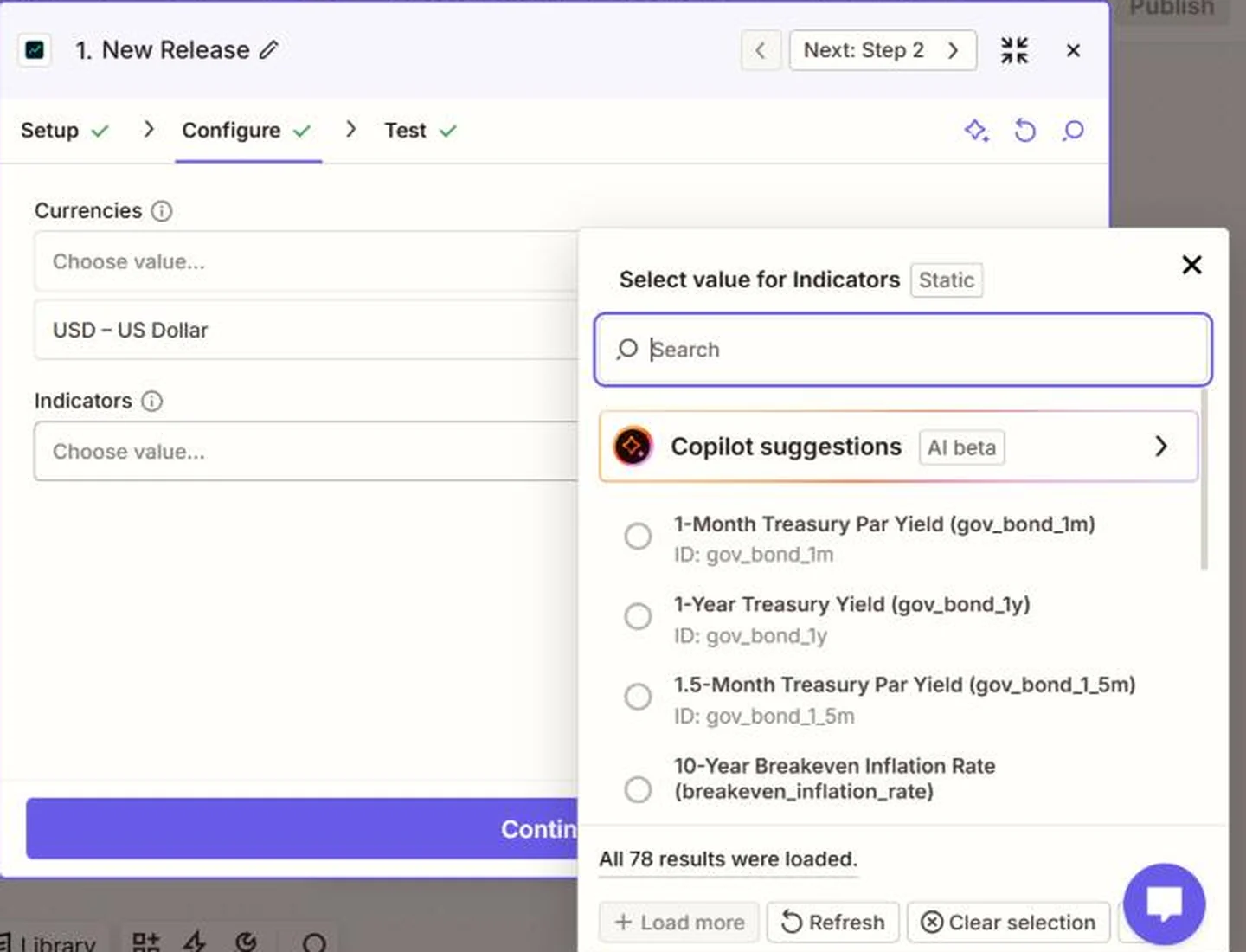
Indicator fields are filled from each currency's live data catalogue, so you pick from the indicators that actually exist for that currency rather than typing slugs. For the US alone that list runs to 78 series, from US CPI inflation and the Federal Funds policy rate to the full Treasury curve.
Why It Matters for Traders
Most desks already have a place where macro news needs to arrive: a team chat, a trade journal spreadsheet, a research inbox, a client CRM. Until now, getting FXMacroData there meant writing and hosting code. With Zapier, an analyst can wire a release into that destination in a few minutes and change it without waiting for an engineer.
Act on releases, not headlines
The instant trigger fires from the stored official figure, so the value in your Zap is the one the publisher released, with its reference period and source link.
Keep a clean record
Logging every release to a sheet or database gives you an audit trail of what was known and when, ready for post-trade review.
Plan the week ahead
Scheduled-release Zaps can put upcoming data on a shared calendar, so nobody is caught flat by a print they forgot was due.
How a Release Moves Through a Zap
A typical release workflow runs in four steps: the publisher releases a figure, FXMacroData stores it and starts your Zap, optional searches add context, and the result lands in the tool your team already uses.
1. Publisher releases
An official source publishes a figure, such as the BLS with US CPI.
2. New Release fires
FXMacroData stores the figure and starts your Zap with it.
3. Searches add context
Optional steps pull the FX rate, gold or positioning alongside it.
4. Your app receives it
Slack, Sheets, email, Notion, a CRM or any other Zapier app.
Practical Example: A CPI Alert With Context
You trade EUR/USD and want your team channel to show every US CPI release with the current exchange rate next to it. In Zapier, add the New Release trigger with currency USD and indicator Inflation (CPI). Add a Find FX Rate step for EUR/USD, then a Slack step that posts the CPI value, the previous value and the rate.
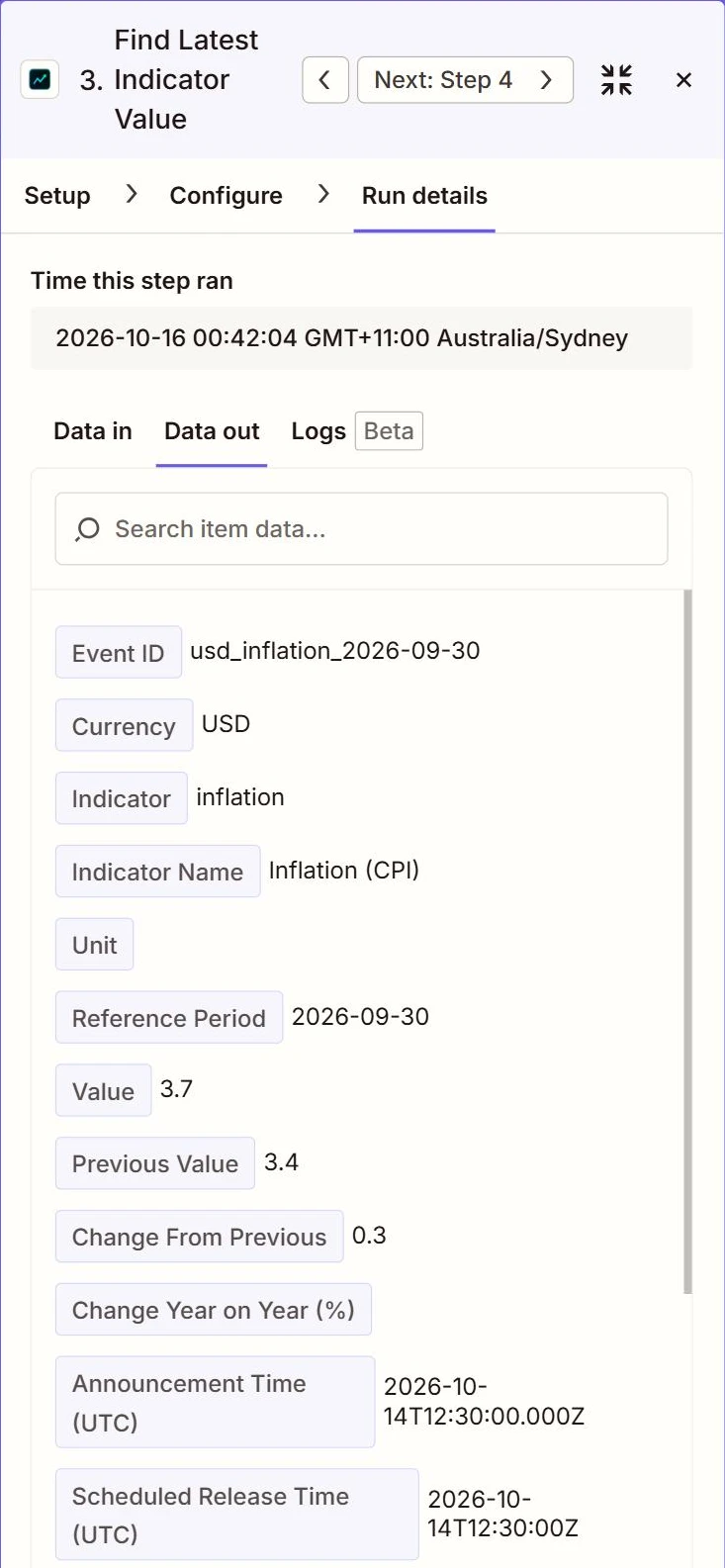
Here is the CPI step from a live Zap run, showing the September 2026 US figure of 3.7% against 3.4% the month before, with the BLS release linked as the source:
The Zap uses the same data as the REST API. If you want to check a value outside Zapier, the equivalent request is:
curl -H "X-API-Key: YOUR_API_KEY" \
  "https://api.fxmacrodata.com/v1/announcements/usd/inflation?limit=1"
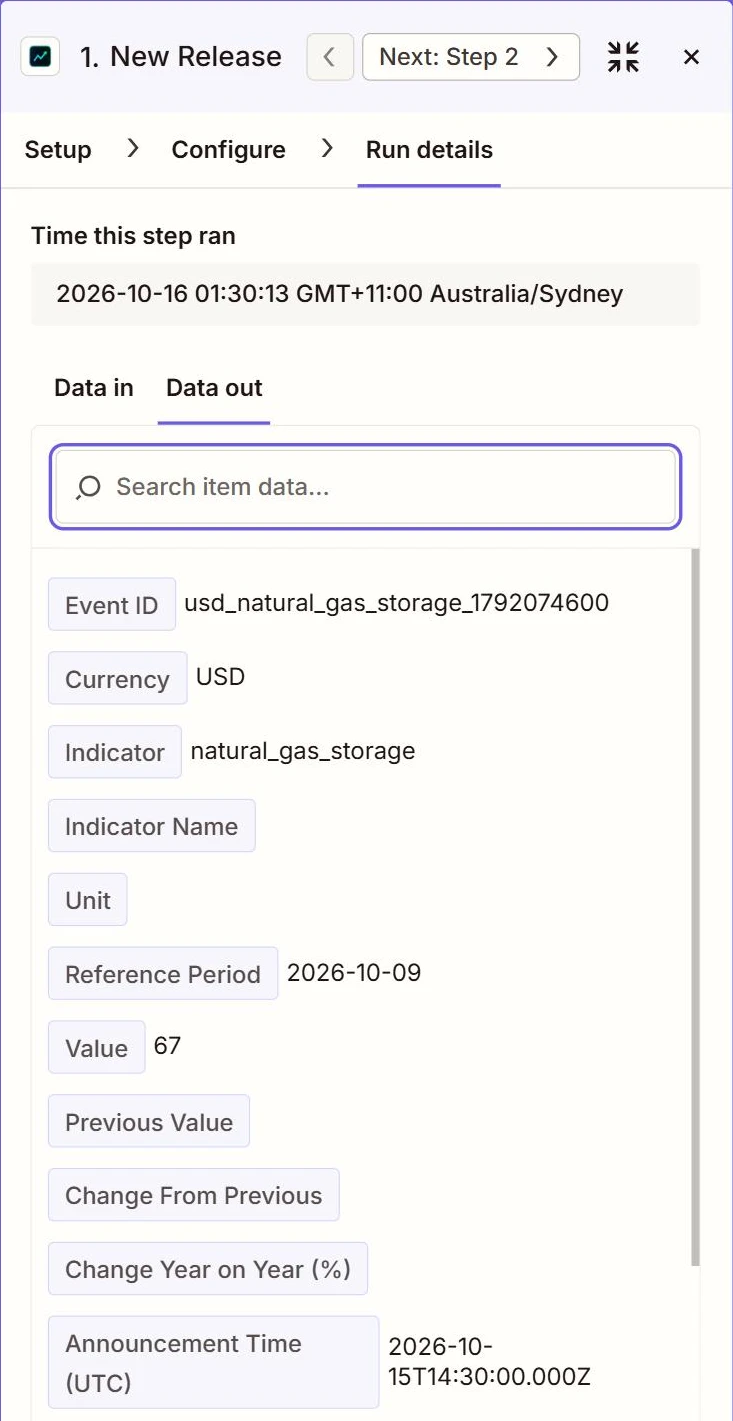
The same pattern works for any release. On 15 October 2026 our instant test Zap fired on the US Energy Information Administration's weekly natural gas storage report, delivering the new figure for the week of 9 October straight into the workflow:
More Ideas to Build
- Post every G10 central-bank policy decision to a Slack or Microsoft Teams channel.
- Append each release to a Google Sheets log for post-trade review.
- Add next week's scheduled US releases from the release calendar to a shared Google Calendar.
- Email a Friday summary of the latest yen CFTC positioning to your research list.
- Record the daily gold price next to your portfolio in Airtable or Notion.
Joining the Beta
The integration is in beta while Zapier completes its review for the public app directory. Beta users get the full set of triggers and searches today, and their Zaps carry over unchanged when the listing goes public. To use it you need a Zapier account and an FXMacroData API key on any trial or paid plan.
- Open the FXMacroData Zapier invitation and accept it.
- Create a Zap and choose FXMacroData as the trigger or as a search step.
- Paste your API key when Zapier asks you to connect your account.
- Pick a currency and indicator, test the step and switch the Zap on.
Prefer to receive releases in your own systems? The same release events are available through FXMacroData webhooks, and every dataset is in the API reference. You can see our other connectors on the integrations page.
Summary
FXMacroData on Zapier brings official macro releases into no-code workflows: an instant trigger for new releases, a trigger for newly scheduled releases, and searches for indicator values, FX rates, commodities and positioning. Join the beta through the invitation link, connect your API key and build your first release alert in a few minutes. We would love to hear what you build and what you would like added next.
