Quick answer: Give your OpenAI dot an ongoing FX research responsibility, connect the FXMacroData plugin where it is available to your account, and ask for a sourced briefing followed by a separate evidence review. Use a saved schedule for recurring work and check the actual results in Activity. The useful output is a maintained trading research process: fresh evidence, competing scenarios and a clear next decision.
Preparing for USD/JPY often means revisiting the same questions: what changed in the US and Japan, which release could alter the rate outlook, and whether the previous thesis still holds. A personal agent becomes useful when it carries those questions between sessions and brings back a finished research packet. FXMacroData supplies the observations and release context; your dot organizes the work around your watchlist.
OpenAI describes dots as persistent cloud agents with their own computer and browser. They can coordinate background work and use connected tools. That creates a different workflow from selecting a model for a single conversation: you assign a responsibility, inspect the output and refine the procedure over time. OpenAI's dots overview explains the product.
Prerequisites
- A ChatGPT account with dots access. Check the current account and workspace requirements in OpenAI's getting-started guide.
- FXMacroData access covering your chosen currencies and datasets. Review MCP access and setup and API management.
- A small watchlist, a research time zone and a place to keep the finished brief.
- An explicit definition of useful output: facts, scenarios, invalidation conditions and unresolved questions.
1. Give your dot one clear FX responsibility
Create your dot through the introduction in ChatGPT on desktop. Start with a bounded assignment, such as maintaining a USD/JPY research brief for the London session. Define which currency pair matters, the reporting time zone and what should trigger an interruption. A broad instruction to find good trades makes it difficult to distinguish a useful update from a plausible story.
The following is a reader-copyable starting prompt. It assigns a research outcome without assuming that a particular data connection is already working.
Maintain my USD/JPY macro research brief using FXMacroData.
Start by checking which data tools and currencies you can access.
For each brief, state the retrieval cutoff in UTC and Europe/London.
Separate retrieved facts, interpretations and unresolved questions.
Keep a dated thesis and say what evidence would change it.
Prepare research for my review; ask before taking trading actions.
Begin with one run. If the brief cannot identify its evidence, making it recurrent will reproduce the same weakness more frequently.
2. Connect the data through the right surface
MCP is FXMacroData's AI-facing data path. A ChatGPT plugin exposes its tools to the agent, while the underlying server is https://mcp.fxmacrodata.com. Install and enable the FXMacroData plugin where offered for your account, complete its connection flow and check the permissions. OpenAI documents that dots can use enabled, supported plugins, subject to the account, permissions and execution environment. Computers and apps explains those boundaries.
Ask your dot to discover the accessible FXMacroData datasets, then request one small retrieval for the watchlist. Inspect the returned fields and dates before requesting a longer history. A connected app or a successful tool listing does not establish that every dataset is included in your entitlement.
If the plugin is unavailable in your dot's environment, use a dated FXMacroData research document or delegate a bounded extraction to a configured Work or Codex environment. A developer can connect that environment to the documented MCP server using OAuth or an Authorization: Bearer API-key header. Those client settings do not create a new connection inside a dot merely because they appear in a prompt.
Connection map
Connect evidence, draft the brief, then review it
- 01Supported data route
Use an enabled FXMacroData plugin where offered, or a dated document through a supported connection.
- 02Bounded research packet
Collect relevant USD/JPY evidence and record the cutoff, source links and missing inputs.
- 03Dot and delegated reviewer
The dot drafts scenarios; a reviewer receives the same packet and checks the claims.
- 04Checked brief
Save the dated result, its unresolved questions and the evidence that would change the thesis.
Plugin permissions govern access. A delegated reviewer needs the packet and cutoff in its own task context.
| Connection | Who uses it | Role in this workflow |
|---|---|---|
| FXMacroData MCP through a supported plugin | Your dot | Retrieve bounded evidence while answering research questions. |
| FXMacroData REST | A server-side extraction script or delegated coding task | Create reproducible inputs with explicit pagination and a retrieval cutoff. |
| Connected research documents | Your dot through an enabled document plugin | Review an existing snapshot; its freshness is the document's recorded cutoff. |
| Delegated Work or Codex task | Your dot coordinating a separate task | Analyze a larger packet or develop a test with the required context and tools. |
For an app-owned extraction, this shell request illustrates REST header authentication. Run it in a trusted server-side environment with the key already available in the environment; keep the credential out of the conversation.
curl --fail --silent --show-error \
  -H "X-API-Key: ${FXMD_API_KEY}" \
  "https://api.fxmacrodata.com/v1/announcements/usd/policy_rate?limit=5"
REST list endpoints default to 20 rows and accept at most 100 through limit. Continue with offset until pagination.has_more is false when the research needs the complete selected window. Do not apply those REST pagination arguments to MCP tools unless the discovered tool schema exposes them. The API quickstart covers the request contract.
3. Build a brief that can survive a second reading
For USD/JPY, begin with the Federal Reserve and Bank of Japan context, their policy rates, and relevant Japanese inflation evidence. Then inspect the release calendar for the next confirmed events. Ask for the data period and unit beside each value so a monthly change cannot quietly become an annual inflation claim.
Keep three parts visible: observed evidence, conditional interpretation and the next test. A widening policy gap is an observation. A claim that it supports the dollar is an interpretation whose relevance depends on expectations, positioning and the market reaction. The brief should explain what would contradict it.
Illustrative output
Three layers in a USD/JPY research brief
Facts with a cutoff
Policy and inflation records retain their currency, period, unit, source link and publication status. Missing inputs remain visible.
Two competing scenarios
Explain which retrieved evidence could support the dollar and which could support the yen. Label both cases as interpretations.
The test that can change the thesis
Name the relevant confirmed event, unresolved input or conflicting observation to inspect before changing the research view.
A scenario should cite its supporting observations and state what would contradict it. A second agent's opinion is a review, not a new market observation.
This reader-copyable prompt turns a general briefing into a checkable pre-session packet.
Build today's USD/JPY research packet from the accessible FXMacroData data.
Show currency, indicator, period, value, unit and available publication status.
For releases, separate actual, prior and comparable pre-release consensus.
List confirmed upcoming events with their sourced times and time zones.
Explain one supporting scenario and one opposing scenario.
End with the evidence that would change the thesis and any missing inputs.
4. Delegate a specific evidence review
Dots can divide work among background agents. Use that capability to give a reviewer the retrieved packet and the draft, with a narrow question: which statements exceed the evidence? Include the packet, cutoff and intended output in the task. A delegated conversation does not automatically inherit everything you have discussed with your dot. Tasks and memory describes the context boundary.
Have the review check units, stale rows, direction of currency quotes, release-time assumptions and whether a forecast existed before the actual. Two agent opinions are not independent market confirmation when both use the same inputs. The value of this second pass is finding factual and logical errors.
5. Save a schedule and test its delivery
Once the first brief works, ask for a saved recurring task. State the time zone, duration, destination and notification threshold. For example: prepare the watchlist brief at 07:30 Europe/London each weekday for the next four weeks; deliver it in ChatGPT; send an additional update only when retrieved evidence changes the thesis or a required input fails. Review the saved task in Scheduled and inspect a completed run in Activity.
A research schedule is your chosen work time. It does not establish when an economic release will occur. Use only the confirmed calendar entries for event times. Event-driven monitoring also needs a supported connected event source; an MCP connection alone does not subscribe your dot to every release.
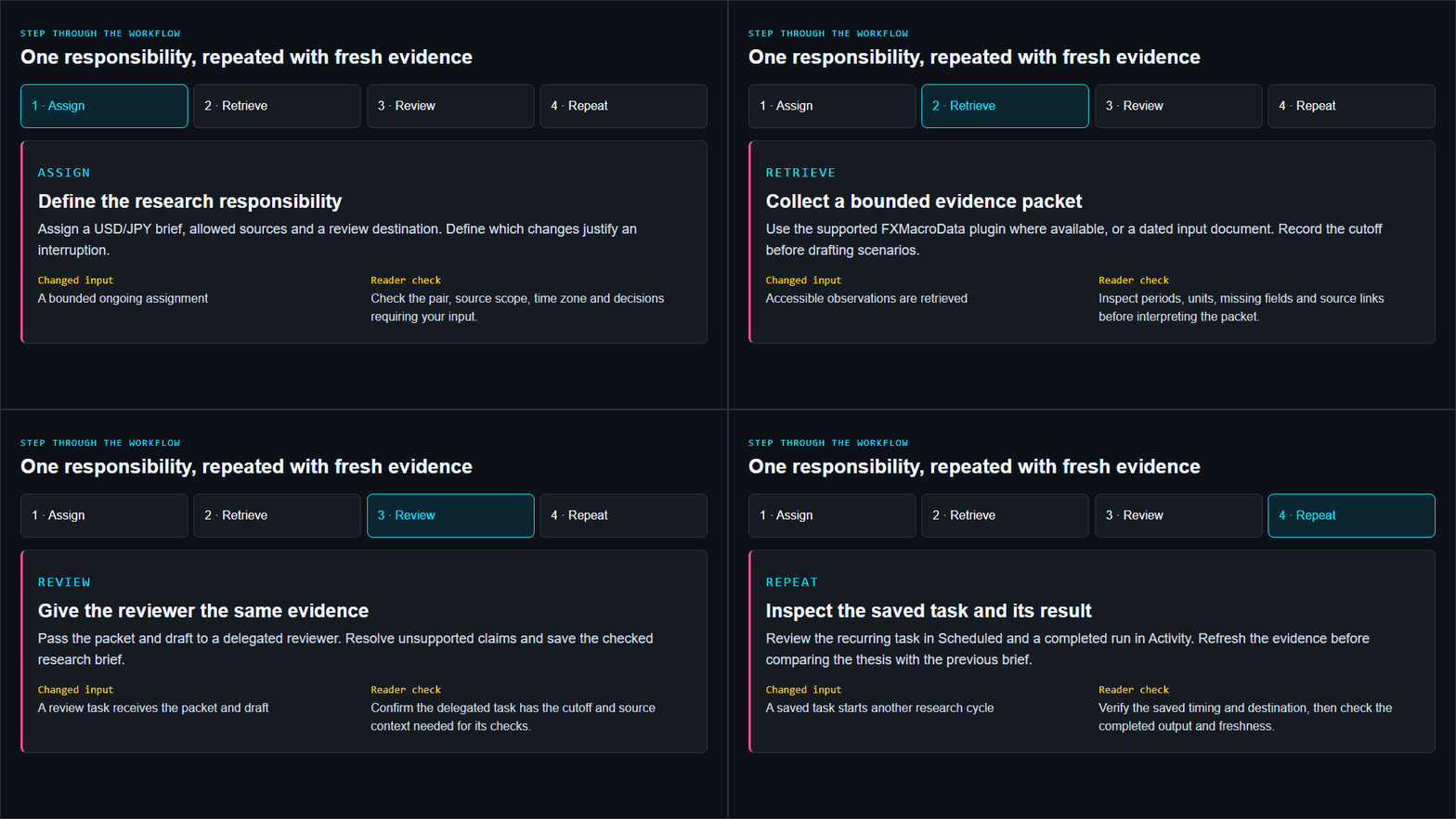
Step through the workflow
One responsibility, repeated with fresh evidence
Assign
Define the research responsibility
Assign a USD/JPY brief, allowed sources and a review destination. Define which changes justify an interruption.
- Changed input
- A bounded ongoing assignment
- Reader check
- Check the pair, source scope, time zone and decisions requiring your input.
Retrieve
Collect a bounded evidence packet
Use the supported FXMacroData plugin where available, or a dated input document. Record the cutoff before drafting scenarios.
- Changed input
- Accessible observations are retrieved
- Reader check
- Inspect periods, units, missing fields and source links before interpreting the packet.
Review
Give the reviewer the same evidence
Pass the packet and draft to a delegated reviewer. Resolve unsupported claims and save the checked research brief.
- Changed input
- A review task receives the packet and draft
- Reader check
- Confirm the delegated task has the cutoff and source context needed for its checks.
Repeat
Inspect the saved task and its result
Review the recurring task in Scheduled and a completed run in Activity. Refresh the evidence before comparing the thesis with the previous brief.
- Changed input
- A saved task starts another research cycle
- Reader check
- Verify the saved timing and destination, then check the completed output and freshness.
6. Keep the research measurable
Give the agent a narrow research role and use plugin permissions and custom rules to govern actions. Review these controls in OpenAI's controls guide. Cloud work can continue when your computer is off; work that needs your own computer requires the connected device to remain online with the app open.
Measure the process before drawing conclusions about trading performance: briefing arrival, factual corrections per run, unsupported claims, freshness failures and time saved. Daily FX rates and reference OHLC are research observations, not executable quotes or a reconstruction of the first seconds after a release. Verify price sampling before assessing reactions. A historical test also needs the data available at each decision time, revisions, spreads, slippage and financing; see point-in-time backtesting.
Illustrated walkthrough
Assign, review and refresh a USD/JPY research brief
Read the walkthrough transcript
- Define the research responsibility: Assign a USD/JPY brief, allowed sources and a review destination. Define which changes justify an interruption. Reader check: Check the pair, source scope, time zone and decisions requiring your input.
- Collect a bounded evidence packet: Use the supported FXMacroData plugin where available, or a dated input document. Record the cutoff before drafting scenarios. Reader check: Inspect periods, units, missing fields and source links before interpreting the packet.
- Give the reviewer the same evidence: Pass the packet and draft to a delegated reviewer. Resolve unsupported claims and save the checked research brief. Reader check: Confirm the delegated task has the cutoff and source context needed for its checks.
- Inspect the saved task and its result: Review the recurring task in Scheduled and a completed run in Activity. Refresh the evidence before comparing the thesis with the previous brief. Reader check: Verify the saved timing and destination, then check the completed output and freshness.
Start with one pair and one saved responsibility. A successful dot workflow produces a dated brief whose evidence can be checked and whose next decision is clear. Expand to more pairs after that process is reliable. Explore the wider AI trading guide collection for other research tools.