For a trader following AUD/USD, the useful personal assistant remembers what needs checking before the next event. It can organize the Reserve Bank of Australia question, the Federal Reserve question and the evidence needed to resolve them. A short message can then open the preparation process wherever the trader happens to be.
Instinct's official site describes a personal assistant reached by text or phone that can use a computer. Its privacy policy identifies the operator as Spear Street Technology and documents connected Google Workspace access. This guide concerns that product, not similarly named veterinary or security software.
Best fit: discretionary traders who want a lightweight research organizer in a messaging conversation. By the end, you will have a dedicated research brief, a reproducible prompt and a checklist for deciding whether the assistant has used the right evidence.
Prerequisites
- Instinct access with the connection options available to your account.
- A Google Workspace document or sheet dedicated to FX research, with permissions you can inspect.
- FXMacroData access for the relevant data, a chosen research window and a process for refreshing the document.
1. Choose the documented route for the evidence
For AI tool access, first consider the FXMacroData MCP server at https://mcp.fxmacrodata.com. Authenticated clients use OAuth or an Authorization: Bearer header. Instinct's public materials do not provide custom MCP setup instructions. Publishing a server URL in a message does not establish that the assistant has connected to it.
| Route | What is established | Use in this guide |
|---|---|---|
| Direct MCP inside Instinct | No public custom-server setup documented | Use a separately supported MCP client if live tool access is essential. |
| Google Workspace | Instinct documents connected Docs, Sheets, Drive and other Workspace services | Read a dedicated, timestamped research document. |
| Server-side REST export | FXMacroData offers documented data requests | Your application retrieves and validates records before supplying the document. |
The supported starting point is therefore the document workflow. Use the Workspace connection controls offered in your account, inspect the requested permissions and confirm that Instinct can read one harmless research note. A request to read one document is a task boundary, not proof that the underlying connection grants access only to that file. A dedicated research workspace helps keep the input scope understandable.
Connection map
The evidence reaches Instinct through a document
- 01FXMacroData retrieval
A supported MCP client or your server-side application retrieves the bounded records.
- 02Dated Workspace note
Preserve the cutoff, source links, units and unresolved fields before sharing the note.
- 03Instinct conversation
Ask the assistant to read that note and organize an AUD/USD preparation checklist.
- 04Trader review
Check the returned claims and decide what evidence or refresh is needed next.
The extraction credentials stay upstream. Document access and direct data-tool access are separate permissions.
2. Prepare a research brief with an explicit cutoff
Start with the release calendar, the Australian policy-rate record, trimmed-mean inflation and the corresponding US context. Explain why each item matters to the relative rate outlook. Keep quarterly underlying inflation distinct from a monthly headline measure; a shared percentage sign does not make the periods comparable.
Include the research question, UTC cutoff, source links and the observations you have actually retrieved. Record period, unit, actual, prior, revision status, publisher time and retrieval time where available. Keep unavailable fields visible. Add matching consensus only when its forecast was available before the release; an official projection or a later estimate is not an interchangeable substitute.
Illustrative output
An AUD/USD brief with its evidence boundary visible
What the packet must carry
A recorded cutoff, Australian and US source links, observation periods and units. Preserve unavailable fields beside the retrieved records.
The question to investigate
How could the relative policy outlook change? Explain the Australian and US cases separately, then name the evidence each scenario needs.
What the trader reviews
Locate the next confirmed event in the supplied calendar, inspect missing inputs and identify who will refresh the research document.
Check the assistant's cutoff against the document, then trace every factual claim to a supplied row or link.
If you own an application that prepares the brief, this request is a server-side starting point for retrieving history:
curl --fail --silent --show-error \
  -H "X-API-Key: $FXMD_API_KEY" \
  "https://api.fxmacrodata.com/v1/announcements/aud/policy_rate?limit=20&offset=0"
Read FXMD_API_KEY from the server environment and keep it out of the document. The canonical REST base is https://api.fxmacrodata.com/v1. List endpoints default to 20 rows and accept a maximum limit of 100; advance offset until pagination.has_more is false within the chosen window. This preparation belongs to your application, not an assumed Instinct API connection. Use server-side calls rather than browser fetches.
3. Text Instinct a bounded preparation request
Reader-copyable preparation prompt:
Read the dedicated AUD/USD research document I shared.
Start with its cutoff and identify the observations it contains.
Explain the Australian and US rate-path questions separately.
List the next confirmed events recorded in the document.
Preserve units, periods, actuals, priors and publication-time status.
Return a short preparation brief and unresolved checks.
Use only the supplied evidence; do not place trades or modify the source.
Compare the first answer with the document before asking for more automation. Every factual claim should trace to a row or source link. A plausible explanation unsupported by the packet belongs in an open-question list. Keep conditional scenarios distinct from observations: stronger inflation could support a firmer policy outlook, but that inference needs context and subsequent evidence.
4. Make follow-ups depend on refreshed evidence
The assistant can help remember a review, but the freshness process must be explicit. Decide who updates the document and how a new cutoff is recorded. Do not describe Instinct as watching FXMacroData live unless your actual workflow has established that connection and successful retrieval.
Reader-copyable follow-up prompt:
When I supply a refreshed research brief, compare it with the
previous cutoff. Identify changed observations, revisions and schedules.
Do not invent a publication time or infer the next event from cadence.
If the brief has not been refreshed, say that the snapshot is unchanged.
Tell me which checks are resolved and which still need a human review.
Keep daily reference rates separate from intraday execution quotes.
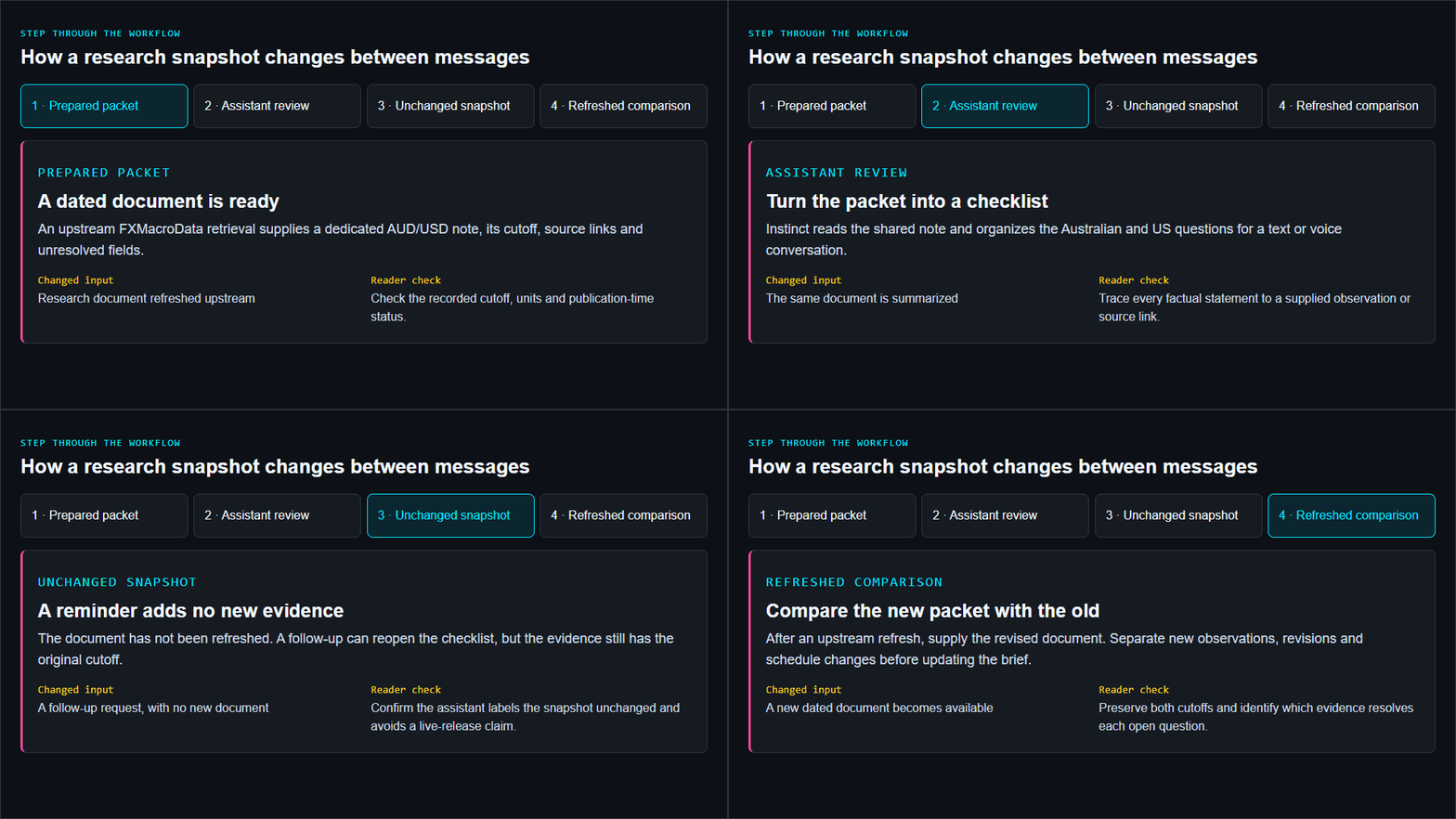
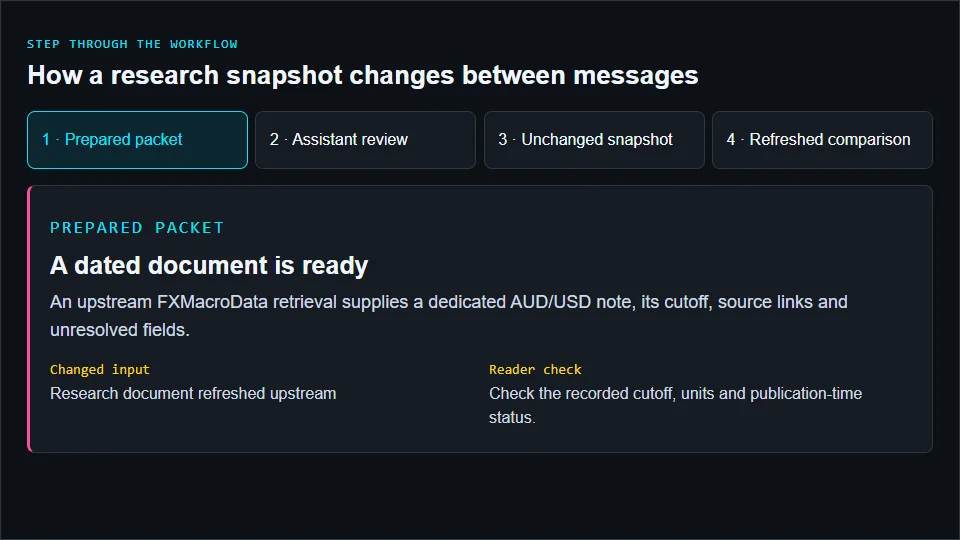
Step through the workflow
How a research snapshot changes between messages
Prepared packet
A dated document is ready
An upstream FXMacroData retrieval supplies a dedicated AUD/USD note, its cutoff, source links and unresolved fields.
- Changed input
- Research document refreshed upstream
- Reader check
- Check the recorded cutoff, units and publication-time status.
Assistant review
Turn the packet into a checklist
Instinct reads the shared note and organizes the Australian and US questions for a text or voice conversation.
- Changed input
- The same document is summarized
- Reader check
- Trace every factual statement to a supplied observation or source link.
Unchanged snapshot
A reminder adds no new evidence
The document has not been refreshed. A follow-up can reopen the checklist, but the evidence still has the original cutoff.
- Changed input
- A follow-up request, with no new document
- Reader check
- Confirm the assistant labels the snapshot unchanged and avoids a live-release claim.
Refreshed comparison
Compare the new packet with the old
After an upstream refresh, supply the revised document. Separate new observations, revisions and schedule changes before updating the brief.
- Changed input
- A new dated document becomes available
- Reader check
- Preserve both cutoffs and identify which evidence resolves each open question.
For reminders, request a specific time and timezone and verify the assistant's confirmation in your account. A reminder to review a document is different from a live release alert. An unknown publisher timestamp stays unknown, and a scheduled time must never be presented as proof that data has already appeared.
5. Evaluate the assistant against the source document
Test an ordinary brief, an unchanged snapshot, a revision, an unavailable forecast and an unknown publication time. Record whether Instinct preserves the cutoff, identifies gaps and avoids unsupported surprise calculations. For historical review, ensure every observation and revision was available by the chosen cutoff; a modern document containing revised history cannot recreate an earlier information set by itself.
FXMacroData daily FX reference observations support macro context, not executable quotes or intraday event returns. Keep price confirmation, position sizing and order entry in the appropriate supervised trading workflow. Instinct's terms require output verification and caution against relying on its responses as investment or financial advice. Use the assistant to organize the evidence and questions you will review.
Illustrated walkthrough
From a dated document to an Instinct research checklist
Read the walkthrough transcript
- A dated document is ready: An upstream FXMacroData retrieval supplies a dedicated AUD/USD note, its cutoff, source links and unresolved fields. Reader check: Check the recorded cutoff, units and publication-time status.
- Turn the packet into a checklist: Instinct reads the shared note and organizes the Australian and US questions for a text or voice conversation. Reader check: Trace every factual statement to a supplied observation or source link.
- A reminder adds no new evidence: The document has not been refreshed. A follow-up can reopen the checklist, but the evidence still has the original cutoff. Reader check: Confirm the assistant labels the snapshot unchanged and avoids a live-release claim.
- Compare the new packet with the old: After an upstream refresh, supply the revised document. Separate new observations, revisions and schedule changes before updating the brief. Reader check: Preserve both cutoffs and identify which evidence resolves each open question.
Start by asking for one AUD/USD preparation brief from one dated document. The AI trading guide collection helps you choose a client with direct tool access if that becomes necessary; the MCP client guide explains that separate connection path.
Sources and product documentation
Product capabilities checked against primary sources in October 2026: