A useful EUR/USD briefing connects the next release-calendar event to what changed in the underlying data. Grok Bot can organize that work across persistent files, conversations and recurring tasks. The practical benefit is continuity: the same research process can prepare a new note, compare it with the previous note and flag a changed assumption.
This guide covers the personal-agent product called Grok Bot. Its cloud computer and standing Bots are a different surface from writing an application against the xAI model API. The official overview documents browser, filesystem, terminal and connector access, with work continuing while your laptop is closed.
Best fit: discretionary traders and small research teams who want repeatable preparation and a second review of the evidence. By the end, you will have a defined research role, a review role and a briefing process you can test before scheduling.
Prerequisites
- Grok Bot access under an eligible account and its desktop app; check the current setup instructions for your plan.
- FXMacroData access for the currencies and history you need, with credentials managed through API Management.
- A short watchlist, a research cutoff and a definition of the finished briefing.
1. Choose the data connection your Bot actually supports
The FXMacroData MCP server is the first connection to consider for AI tool use. Its address is https://mcp.fxmacrodata.com; authenticated access uses OAuth or an Authorization: Bearer header. REST uses a different header convention. Configure the client through its supported credential flow rather than putting a key in a URL.
| Route | Who uses it | Practical starting point |
|---|---|---|
| Remote HTTPS MCP | A supported Team Bot setup | Add the server through the Plugins setup card and complete the offered authentication flow. |
| CSV or JSON attachment | A personal Bot | Attach a bounded, timestamped export and describe its contents. |
| Server-side REST | Your export script or application | Retrieve fresh records, validate them and hand the resulting packet to the Bot. |
Team Bot documentation explicitly describes custom Remote HTTPS MCP servers. That does not establish an identical setup menu for every personal account. If your personal Bot does not expose that route, attachments are documented, including CSV and JSON. Follow the file guide instead of copying configuration from Grok chat or Grok Build.
2. Give research and review separate jobs
Create a researcher responsible for the EUR and USD evidence, then a reviewer responsible for checking the note against that evidence. Keep the jobs narrow. A reviewer who only rewrites the prose adds less value than one who checks whether the claimed comparison is valid.
Reader-copyable research prompt:
Prepare an EUR/USD research brief from the supplied FXMacroData
records, or the connected read tools when available. State the cutoff.
Preserve periods, units, publisher timestamps and source links.
Identify the next confirmed event on each side of the pair.
Separate facts from conditional scenarios. Mark absent fields unavailable.
Return the evidence table and the questions a trader should resolve.
Connection map
Keep the evidence connected through every handoff
- 01Supported read route
Use remote MCP where supported, or a bounded export prepared by your application.
- 02Shared evidence packet
Keep the cutoff, record definitions and publisher links with the inputs both Bots use.
- 03Research Bot
Build the evidence table, conditional scenarios and unanswered questions.
- 04Review and decision
The review Bot challenges each claim; the trader checks the corrected brief.
Bots on one account share the computer and its logins. Give the workflow research access and keep brokerage permissions separate.
3. Assemble a packet that preserves the event sequence
For a first run, use the Federal Reserve and ECB context, US inflation, euro-area inflation and the relevant US policy-rate history. Explain which series each row represents. A target-rate upper bound and a deposit rate can inform a comparison, but their definitions must stay attached.
If you prepare exports with an application, this short server-side request illustrates header authentication. It is one page of history, not a complete extraction:
curl --fail --silent --show-error \
  -H "X-API-Key: $FXMD_API_KEY" \
  "https://api.fxmacrodata.com/v1/announcements/usd/inflation?limit=20&offset=0"
Read FXMD_API_KEY from the server environment. List endpoints default to 20 rows and accept at most 100 per page; advance offset until pagination.has_more is false within your chosen window. Keep credentials out of export contents and use server-side requests rather than browser fetches.
Record retrieval time separately from publisher time. Preserve actual, prior and revision status. Add consensus only when a matching, dated forecast exists before the release; otherwise mark it unavailable and omit surprise calculations. An official forecast is not automatically market consensus. Scheduled events are prospective, and an unknown publication time remains unknown. Historical replay must exclude values and revisions first available after its cutoff.
Illustrative output
A review packet that exposes the weak link
Evidence and argument
Each factual statement carries its record, period, unit and cutoff eligibility. A rate-path scenario names the condition that would support it.
Missing comparison
When matching pre-release consensus is unavailable, the reviewer leaves surprise unresolved and checks the actual-to-prior comparison separately.
Next check stays visible
The final note retains the source links, explains any correction and asks what evidence could confirm or weaken the scenario.
Inspect the correction alongside the original evidence. Agreement between Bots alone is insufficient validation.
4. Ask the reviewer to challenge the interpretation
Reader-copyable review prompt:
Review this EUR/USD brief against the same evidence packet.
Check each value, period, unit, source and publication-time status.
Reject surprise calculations without matching pre-release consensus.
Identify revisions or observations available only after the cutoff.
List unsupported claims, competing explanations and missing evidence.
Return a corrected brief. Do not change access or place orders.
A hotter inflation reading may strengthen a rate-path scenario; it does not prove how the pair traded. FXMacroData daily reference observations provide broader context. Intraday reaction, spreads and executable quotes require suitable price data from your trading venue. Keep that distinction in the review criteria.
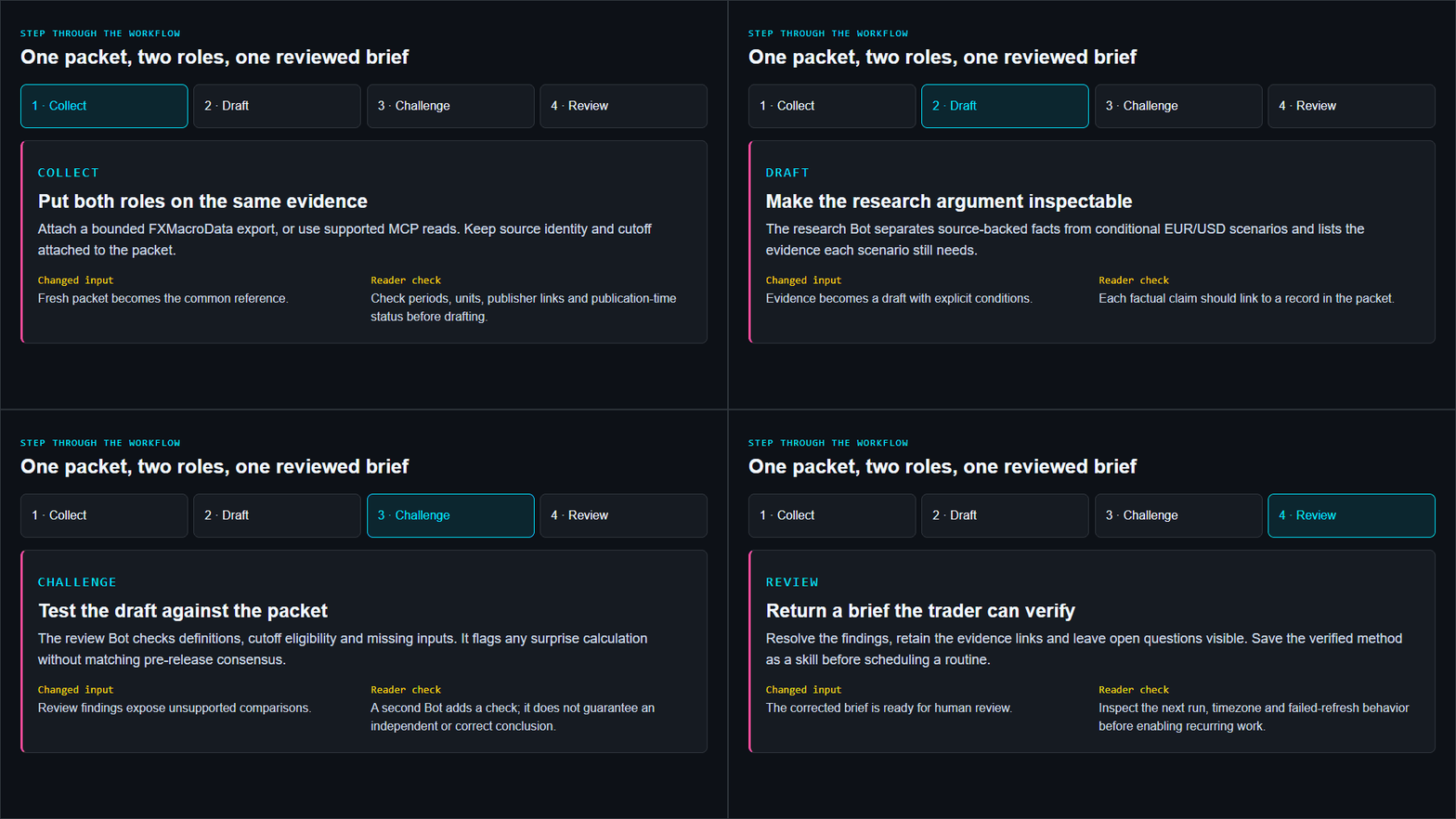
Step through the workflow
One packet, two roles, one reviewed brief
Collect
Put both roles on the same evidence
Attach a bounded FXMacroData export, or use supported MCP reads. Keep source identity and cutoff attached to the packet.
- Changed input
- Fresh packet becomes the common reference.
- Reader check
- Check periods, units, publisher links and publication-time status before drafting.
Draft
Make the research argument inspectable
The research Bot separates source-backed facts from conditional EUR/USD scenarios and lists the evidence each scenario still needs.
- Changed input
- Evidence becomes a draft with explicit conditions.
- Reader check
- Each factual claim should link to a record in the packet.
Challenge
Test the draft against the packet
The review Bot checks definitions, cutoff eligibility and missing inputs. It flags any surprise calculation without matching pre-release consensus.
- Changed input
- Review findings expose unsupported comparisons.
- Reader check
- A second Bot adds a check; it does not guarantee an independent or correct conclusion.
Review
Return a brief the trader can verify
Resolve the findings, retain the evidence links and leave open questions visible. Save the verified method as a skill before scheduling a routine.
- Changed input
- The corrected brief is ready for human review.
- Reader check
- Inspect the next run, timezone and failed-refresh behavior before enabling recurring work.
5. Save a successful run before creating a routine
After reviewing the result, ask Grok Bot to save the process as a skill. Specify inputs, cutoff checks, output format and missing-data behavior. Then create a routine with an explicit timezone and inspect its next run. The official routine guide recommends this progression and documents test runs.
For recurring work, require a refreshed packet or a successful connected retrieval. If that fails, the routine should report the failure and the last verified cutoff. Give it a narrow notification rule: surface a changed observation, a changed confirmed schedule or an unresolved review issue. All Bots on one account share computer files and logins; role separation does not isolate credentials.
Illustrated walkthrough
From FX evidence to a reviewed Grok Bot briefing
Read the walkthrough transcript
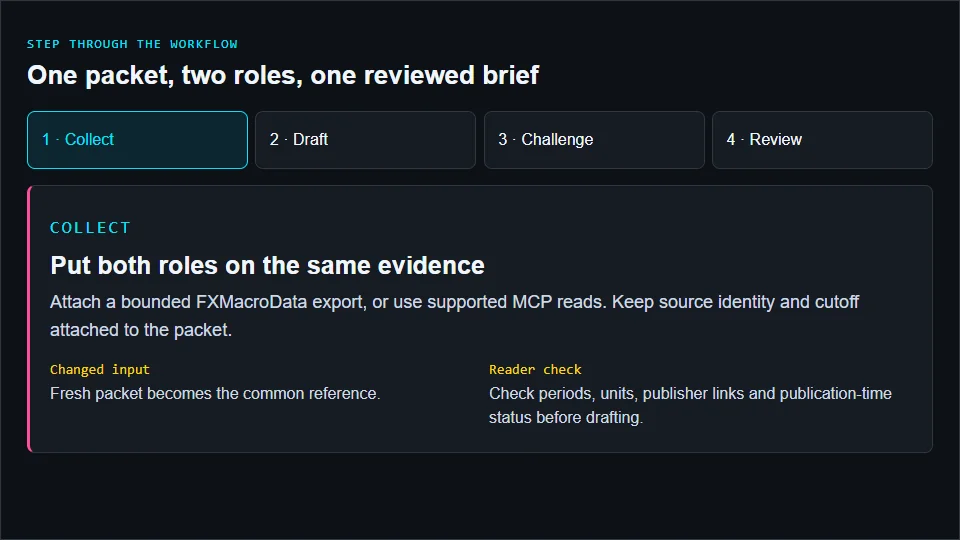
- Put both roles on the same evidence: Attach a bounded FXMacroData export, or use supported MCP reads. Keep source identity and cutoff attached to the packet. Reader check: Check periods, units, publisher links and publication-time status before drafting.
- Make the research argument inspectable: The research Bot separates source-backed facts from conditional EUR/USD scenarios and lists the evidence each scenario still needs. Reader check: Each factual claim should link to a record in the packet.
- Test the draft against the packet: The review Bot checks definitions, cutoff eligibility and missing inputs. It flags any surprise calculation without matching pre-release consensus. Reader check: A second Bot adds a check; it does not guarantee an independent or correct conclusion.
- Return a brief the trader can verify: Resolve the findings, retain the evidence links and leave open questions visible. Save the verified method as a skill before scheduling a routine. Reader check: Inspect the next run, timezone and failed-refresh behavior before enabling recurring work.
6. Evaluate the desk on evidence quality
Compare the routine with manual preparation over representative event days. Measure unsupported claims, mismatched units, late revisions, missing inputs and the time needed to verify the note. Require source-linked facts and explicit uncertainty before expanding the watchlist. Keep brokerage permissions separate from research access.
Start with one EUR/USD briefing and make its review reproducible. The AI trading guide collection connects the wider workflows; the Grok finance API guide covers building your own model application when that is the surface you need.
Sources and product documentation
Product capabilities checked against official documentation in October 2026: