A GBP/USD research thread becomes useful when it remembers the question and refreshes the evidence. What would change the relative outlook for the Bank of England and the Federal Reserve? Which scheduled event could answer that question? Meta Muse can keep the preparation moving while the trader is away, then return a compact update that makes the changed assumption easy to inspect.
Muse is Meta's personal agent, introduced in its September 2026 announcement. This guide covers that product's continuing goals and connections. The Muse Spark model API is a separate developer surface, with different setup and operating responsibilities.
Best fit: traders and analysts who want an evolving research brief, a record of open questions and selective notifications. The finished workflow is a GBP/USD research tracker grounded in source records, with one verified connection and clear review rules.
Prerequisites
- Muse access in a supported region and an account with the relevant connection features.
- FXMacroData access and its public documentation; obtain any required key through API Management.
- A research window, a timezone and a small set of questions about the two currencies.
1. Choose the connection route without confusing the surfaces
The FXMacroData MCP server offers structured AI data access at https://mcp.fxmacrodata.com, using OAuth or an Authorization: Bearer header for authenticated access. Muse's provider platform accepts API or MCP documentation for connector submissions. A provider submission is a review process, however; it does not establish that a particular connector is already approved or installed.
| Route | Relevant surface | What to verify |
|---|---|---|
| MCP connector | A compatible connection or approved provider integration | Actual tool availability and authentication; a public MCP address alone is insufficient. |
| Custom REST connector | Consumer Muse, created through conversation | The requested read operations, secure credential flow and returned records. |
| Application-owned export | Your server-side data preparation | Cutoff, complete pagination and what Muse can actually read. |
Meta's connector Help Center explicitly says you can ask Muse to create a Custom Connector for a service absent from its list. Muse guides the process using API information and stores credentials in its Secure Credentials Store. Use this conversational route rather than assuming a universal remote-MCP configuration form.
Connection map
A lasting question with freshly checked evidence
- 01Supported connector
Authorize read operations through Muse's offered secure connection flow.
- 02Continuing goal
Keep the GBP/USD question, expected briefing and unresolved assumptions together.
- 03Evidence refresh
Retrieve dated FXMacroData records and compare them with the prior verified cutoff.
- 04Changed-assumption brief
Surface the evidence that changes a scenario and the source the trader should inspect.
A continuing goal retains context. Each refresh still needs successful retrieval and explicit source-time checks.
2. Ask Muse to create a focused research connector
Reader-copyable connection prompt:
Create a custom FXMacroData research connector using its public
API documentation. I need GBP and USD announcement history and
confirmed calendars for a GBP/USD briefing. Use the documented
read operations and guide me through your secure credential flow.
Retrieve one bounded response first. Show its source dates, periods,
units and missing fields. Do not subscribe to services or place trades.
Inspect the proposed operations before granting access. For REST, the canonical base is https://api.fxmacrodata.com/v1 and the preferred key header is X-API-Key. Enter the credential through the offered secure control; do not paste it into the conversation or a request URL. Meta notes that custom connectors are not reviewed by Meta, so the visible operation scope deserves attention.
If an application prepares the packet outside Muse, this request belongs on that application's server. It retrieves one page for checking the connection:
curl --fail --silent --show-error \
  -H "X-API-Key: $FXMD_API_KEY" \
  "https://api.fxmacrodata.com/v1/announcements/gbp/inflation?limit=20&offset=0"
Keep FXMD_API_KEY in the server environment. List endpoints default to 20 rows, with a maximum limit of 100; advance offset until pagination.has_more is false for the selected window. Use server-side retrieval rather than browser fetches, and preserve the original records alongside the briefing.
3. Give Muse a goal with a concrete deliverable
The first goal should be preparation around UK inflation, US inflation and the release calendar. Ask for competing scenarios rather than a permanent directional label. The relationship to interest-rate expectations is conditional: the same headline can carry different implications when its composition or the central bank's starting position changes.
Reader-copyable briefing prompt:
Maintain a GBP/USD preparation brief using verified FXMacroData
records. At each run, state the UTC cutoff and Europe/London time.
Show what changed, the next confirmed event and competing scenarios.
Keep actual, prior, revisions and pre-release consensus distinct.
Notify me when evidence changes a scenario or needs review.
Do not infer missing release times or replace missing values from memory.
Illustrative output
The anatomy of a useful change brief
What changed
The record that changed carries its observation period, unit, publisher link and available publication-time evidence. Retrieval time is shown separately.
Which assumption it affects
The brief connects the changed evidence to a conditional GBP/USD scenario and states the competing explanation still consistent with the records.
What remains unresolved
The next confirmed event or missing input stays visible. If consensus is unavailable, the briefing leaves surprise analysis unresolved.
A notification should name the changed assumption and link to its evidence so the trader can judge its relevance.
4. Make the briefing distinguish every kind of timestamp
Require observation period, unit, publisher timestamp, publication-time status and retrieval time. A current retrieval can return an older observation. A calendar time is an expected future event, while publication time identifies when the released information became available. Preserve unknown times and source flags instead of inventing precision.
Surprise analysis requires actual and matching consensus captured before publication. A prior value is a different comparison; a later revision is different again. Where a matching forecast is absent, write “consensus unavailable” and leave the surprise unresolved. Do not substitute an official projection for a market consensus. Historical evaluation must use only information available at its cutoff.
Keep daily FX reference observations labelled as daily context. They cannot establish an intraday reaction or executable spread. If a scenario requires price confirmation, review appropriate venue data separately before deciding whether the macro story has been confirmed.
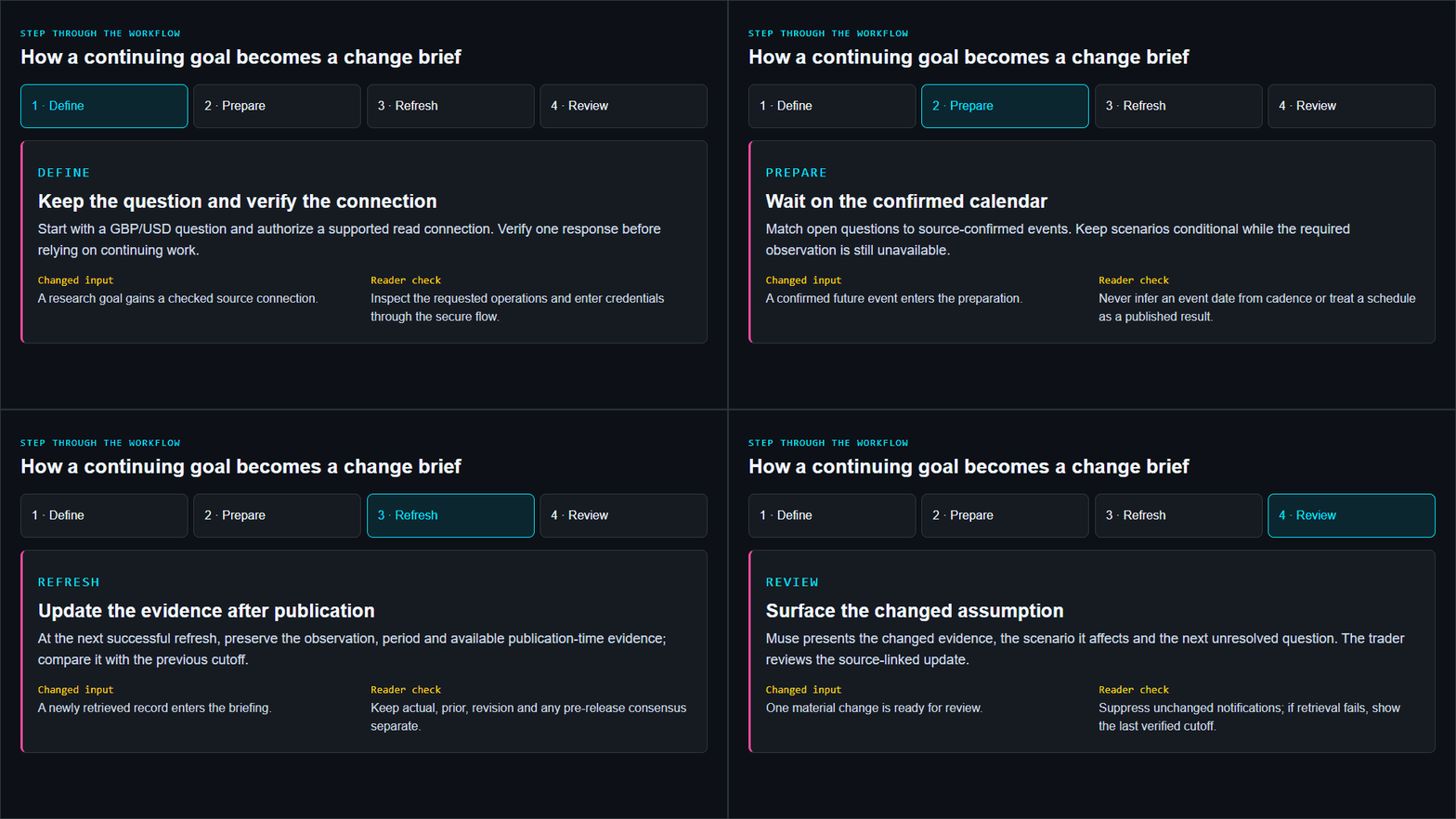
Step through the workflow
How a continuing goal becomes a change brief
Define
Keep the question and verify the connection
Start with a GBP/USD question and authorize a supported read connection. Verify one response before relying on continuing work.
- Changed input
- A research goal gains a checked source connection.
- Reader check
- Inspect the requested operations and enter credentials through the secure flow.
Prepare
Wait on the confirmed calendar
Match open questions to source-confirmed events. Keep scenarios conditional while the required observation is still unavailable.
- Changed input
- A confirmed future event enters the preparation.
- Reader check
- Never infer an event date from cadence or treat a schedule as a published result.
Refresh
Update the evidence after publication
At the next successful refresh, preserve the observation, period and available publication-time evidence; compare it with the previous cutoff.
- Changed input
- A newly retrieved record enters the briefing.
- Reader check
- Keep actual, prior, revision and any pre-release consensus separate.
Review
Surface the changed assumption
Muse presents the changed evidence, the scenario it affects and the next unresolved question. The trader reviews the source-linked update.
- Changed input
- One material change is ready for review.
- Reader check
- Suppress unchanged notifications; if retrieval fails, show the last verified cutoff.
5. Review permissions and test the continuing task
Muse's product-design account documents Goals, scheduled and event-driven work, activity logs and artifacts. After the first brief passes review, specify the schedule and timezone, inspect the next run and check what the task actually does when inputs fail. An unsuccessful refresh should expose the last verified cutoff, not silently reuse it as current.
Check access in Settings → Connectors and review the activity record. Separate data retrieval from actions that send or spend. Meta's connector guidelines allow financial-data read access but currently do not approve new financial money-movement or trade-order tools. That fits a research assistant: keep execution and risk limits in the trading workflow you already supervise.
Illustrated walkthrough
Follow a GBP/USD research goal through a Muse refresh
Read the walkthrough transcript
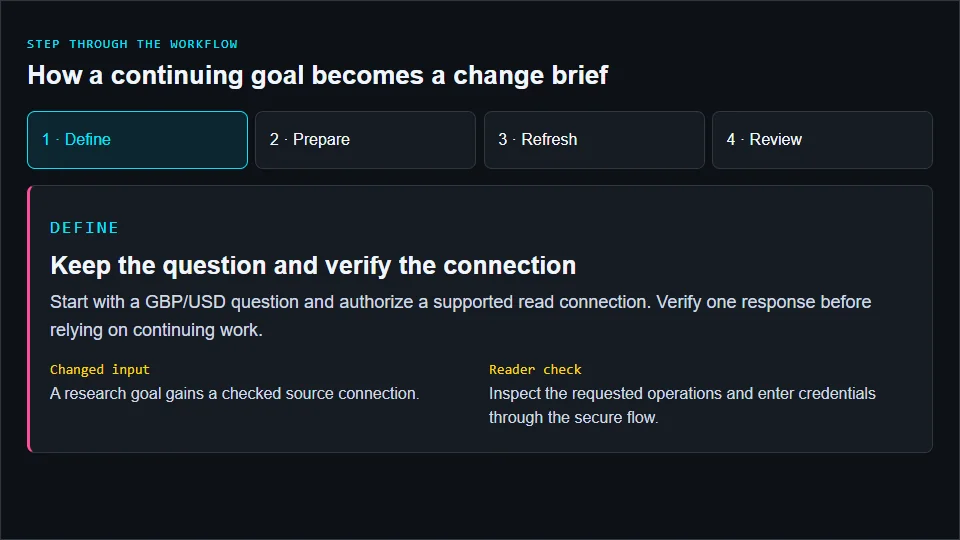
- Keep the question and verify the connection: Start with a GBP/USD question and authorize a supported read connection. Verify one response before relying on continuing work. Reader check: Inspect the requested operations and enter credentials through the secure flow.
- Wait on the confirmed calendar: Match open questions to source-confirmed events. Keep scenarios conditional while the required observation is still unavailable. Reader check: Never infer an event date from cadence or treat a schedule as a published result.
- Update the evidence after publication: At the next successful refresh, preserve the observation, period and available publication-time evidence; compare it with the previous cutoff. Reader check: Keep actual, prior, revision and any pre-release consensus separate.
- Surface the changed assumption: Muse presents the changed evidence, the scenario it affects and the next unresolved question. The trader reviews the source-linked update. Reader check: Suppress unchanged notifications; if retrieval fails, show the last verified cutoff.
6. Evaluate the brief before widening the watchlist
Test a normal update, a revised observation, an unavailable consensus and a failed refresh. Measure unsupported claims, stale-input handling, review time and whether notifications explain a material change. Expand the goal only when the same checks work repeatedly.
Begin with one verified GBP/USD brief and one continuing question. Explore the AI trading guide collection for adjacent workflows, or the Muse Spark developer guide when you want to own the model application yourself.
Sources and product documentation
Product capabilities checked against primary sources in October 2026: